

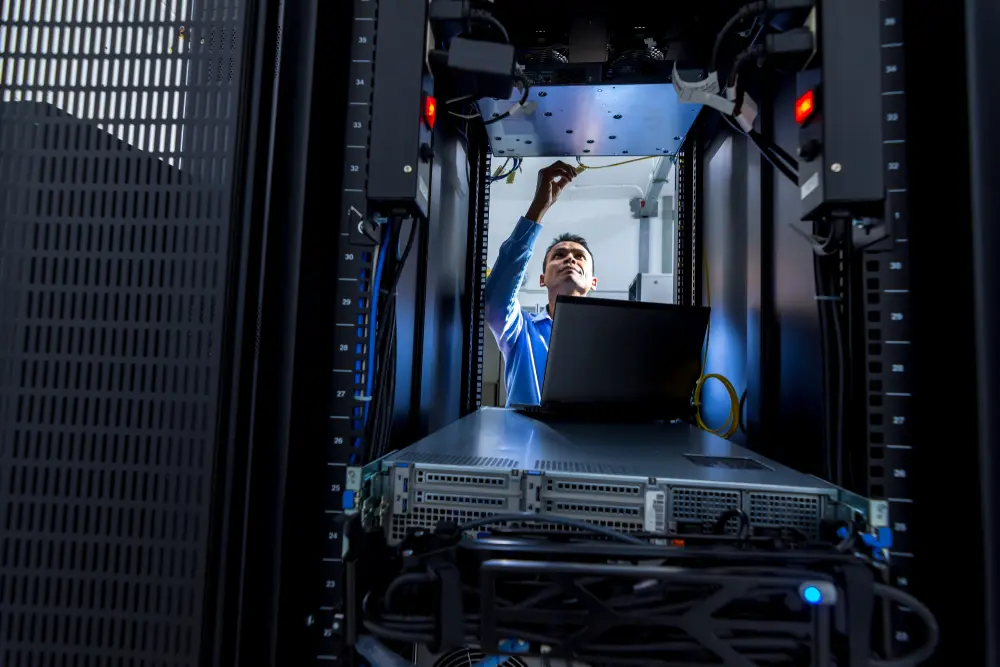
Phoenix businesses rely on fast, dependable technology to stay productive, serve customers, and protect sensitive data. Whether you operate a growing office in Downtown Phoenix, manage a warehouse near Sky Harbor, or run a professional practice in North Phoenix, your network infrastructure plays a critical role in day-to-day operations.
Quick Answer
A reliable business network starts with professional planning, quality hardware, secure configuration, proactive maintenance, and ongoing monitoring. In the Valley of the Sun, businesses must also account for extreme heat, dust, seasonal monsoon storms, and rapid growth that can place additional demands on network infrastructure.
What Local Readers Should Know
- Quality network design helps reduce downtime, improve cybersecurity, and support future business growth.
- Extreme summer temperatures and dust common across Maricopa County can shorten the lifespan of networking equipment if environmental conditions are ignored.
- Businesses expanding into areas such as Tempe, Scottsdale, Mesa, and Chandler often benefit from scalable infrastructure that grows with multiple locations.
- Regular maintenance identifies small issues before they interrupt operations or create expensive emergency repairs.
- Proper backup systems and redundancy can help minimize disruptions during monsoon-related power outages.
Why This Matters Locally
Reliable IT infrastructure is especially important for businesses operating throughout the Phoenix metro area. High temperatures place additional stress on equipment, while dust accumulation can affect switches, servers, and cooling systems inside network closets.
Many commercial buildings throughout the Valley of the Sun were constructed during different periods of rapid growth, meaning network infrastructure often ranges from modern fiber installations to outdated cabling that no longer meets today’s performance demands.
GeekForce.biz helps local businesses evaluate, build, and maintain network infrastructure designed to support daily operations while adapting to changing technology needs. From this point forward, we focus on practical solutions that help organizations stay connected with fewer interruptions.
Local Data and Professional Field Observations
Professional field observations show that many businesses delay infrastructure upgrades until performance problems begin affecting employees or customers. Common issues include aging switches, unmanaged Wi-Fi expansion, outdated firewalls, insufficient cable management, and limited documentation.
According to the National Weather Service, the Phoenix region experiences prolonged periods of extreme summer heat along with seasonal monsoon activity. While office interiors remain climate controlled, network rooms without adequate cooling or ventilation may experience higher operating temperatures that reduce equipment reliability over time.
Local Impact
An unreliable business network affects far more than internet speed.
Employees may struggle to access cloud applications, VoIP phone systems can experience dropped calls, file sharing becomes slower, and customer service suffers when systems become unavailable.
Businesses throughout Phoenix also face increasing cybersecurity risks. Older networking equipment may no longer receive security updates, leaving organizations more vulnerable to attacks that could interrupt operations or compromise sensitive information.
For companies with multiple locations across Scottsdale, Glendale, Mesa, or Chandler, inconsistent infrastructure can also make centralized management significantly more difficult.
Warning Signs Your Business Network Needs Attention
A business network often provides warning signs before major failures occur.
- Internet performance has become noticeably slower during normal business hours.
- Employees regularly report Wi-Fi dead zones or unreliable wireless connections.
- Network equipment frequently requires manual reboots.
- File transfers and cloud applications perform inconsistently.
- VoIP calls experience dropped connections or poor audio quality.
- Equipment cabinets feel excessively warm or have visible dust buildup.
- Your business has added employees without expanding network capacity.
- Documentation for your network equipment no longer exists or is outdated.
When to Call a Professional
Professional network support is recommended whenever recurring connectivity issues, security concerns, or business growth begin affecting operations.
Business owners can safely monitor internet performance, restart approved equipment when necessary, and report recurring issues. However, firewall configuration, switch management, structured cabling, server networking, wireless optimization, and cybersecurity assessments should be handled by experienced IT professionals.
This is especially true for organizations handling sensitive customer information or relying heavily on cloud-based software.
Common Local Causes of Network Problems
Several factors contribute to networking issues throughout the Valley of the Sun.
1. Aging Infrastructure
Older commercial properties may still rely on outdated cabling or networking hardware that struggles to support modern business applications.
2. Environmental Conditions
Dust infiltration and elevated temperatures can reduce equipment lifespan if network closets lack proper ventilation and maintenance.
3. Rapid Business Growth
Adding employees, workstations, wireless devices, and cloud services without redesigning the network often creates bottlenecks.
4. Inadequate Security
Older firewalls and unmanaged devices increase cybersecurity risks while limiting visibility into network performance.
5. Poor Documentation
Businesses often inherit networks from previous vendors without updated diagrams, passwords, or equipment inventories, making future maintenance more difficult.
Prevention and Maintenance Best Practices
Preventive maintenance keeps business networks operating efficiently while reducing unexpected downtime.
Recommended maintenance includes:
- Regular firmware updates for networking equipment
- Scheduled security reviews
- Routine hardware inspections
- Environmental monitoring inside equipment rooms
- Cable organization and labeling
- Backup verification
- Wireless performance testing
- Capacity planning before business expansion
Many organizations also benefit from proactive monitoring that identifies developing issues before employees notice performance problems.
Expected Results from Professional Network Maintenance
Well-maintained business networks typically provide:
- More consistent internet performance
- Improved Wi-Fi coverage
- Better cybersecurity protection
- Reduced unexpected downtime
- Easier future expansion
- Longer equipment lifespan
- Faster issue resolution when problems occur
While no network can eliminate every possible outage, proactive maintenance significantly improves reliability and reduces operational risk.
Common Mistakes Businesses Make
Mistake: Waiting Until Equipment Fails
Consequence: Emergency replacements often cost more and create unexpected downtime.
Better Approach: Replace aging equipment before failures interrupt operations.
Mistake: Using Consumer Networking Hardware
Consequence: Residential equipment may not handle business workloads or security requirements.
Better Approach: Install commercial-grade networking equipment designed for continuous operation.
Mistake: Ignoring Documentation
Consequence: Future troubleshooting becomes slower and more expensive.
Better Approach: Maintain updated network diagrams and configuration records.
Mistake: Expanding Without Planning
Consequence: Network performance declines as more users and devices are added.
Better Approach: Design infrastructure with future growth in mind.
Common Local Scenario
A growing business leases additional office space near Camelback Corridor and quickly adds new employees. Instead of redesigning the network, additional wireless routers and switches are installed wherever convenient.
Within months, employees begin reporting slow internet, dropped video meetings, and inconsistent Wi-Fi coverage. A professional network assessment identifies overlapping wireless channels, outdated switching equipment, and insufficient network segmentation. After restructuring the network, performance improves while providing room for continued growth.
Related Service Solutions
Reliable business networking often involves several connected IT services, including:
- Business network design
- Structured cabling
- Firewall configuration
- Managed IT services
- Wi-Fi optimization
- Network monitoring
- Server installation
- Cybersecurity support
- Backup and disaster recovery planning
Comparing Your Options
| Option | Benefits | Limitations |
|---|---|---|
| DIY Network Maintenance | Lower short-term cost | Limited expertise, higher security risk |
| Break-Fix Support | Pay only when needed | Downtime occurs before help arrives |
| Proactive Managed IT | Continuous monitoring, maintenance, and planning | Ongoing investment that often reduces long-term disruptions |
Service Areas
We proudly support businesses throughout Phoenix and surrounding communities, including Scottsdale, Mesa, Chandler, Glendale, Paradise Valley, and other locations across Maricopa County. Our goal is to help organizations throughout the region maintain secure and reliable IT infrastructure.
The Cost of Ignoring Network Problems
Delaying infrastructure maintenance often results in higher repair costs, unexpected downtime, lost productivity, frustrated employees, and increased cybersecurity exposure.
Small performance issues rarely improve on their own. Addressing them early typically costs less than recovering from major equipment failures or security incidents.
Frequently Asked Questions
How often should a business network be inspected in Phoenix?
Regular network reviews are recommended at least annually, with ongoing monitoring throughout the year. Businesses experiencing rapid growth or relying heavily on cloud applications may benefit from more frequent assessments.
Does extreme heat affect networking equipment?
Yes. High temperatures can shorten equipment lifespan if network closets lack proper cooling or ventilation. Even indoor equipment benefits from environmental monitoring during Arizona’s hottest months.
Should businesses replace networking equipment before it fails?
Yes. Replacing aging hardware before failure helps reduce unexpected downtime and allows upgrades to be scheduled during convenient business hours.
Can outdated cabling slow a business network?
Yes. Older cabling may limit network speeds and reduce reliability. A professional assessment can determine whether existing infrastructure still meets current business requirements.
Is managed IT support worthwhile for small businesses in Phoenix?
Many small businesses benefit from proactive monitoring, maintenance, and cybersecurity support because these services reduce downtime while allowing employees to focus on core business operations.
What are the signs that a business Wi-Fi network needs improvement?
Frequent disconnects, inconsistent coverage, slow performance during busy periods, and poor video conferencing quality often indicate that the wireless network requires optimization or expansion.
How can businesses prepare for monsoon season?
Backup power solutions, surge protection, secure backups, and proactive infrastructure maintenance help reduce disruptions associated with seasonal storms.
Can network infrastructure support future business growth?
Yes. A properly designed network can scale as employees, locations, applications, and connected devices increase over time, reducing the need for frequent redesigns.
Closing
Reliable IT infrastructure provides the foundation for productive employees, secure business operations, and future growth. By combining thoughtful planning with proactive maintenance, businesses throughout the Valley of the Sun can reduce downtime, improve performance, and better prepare for changing technology demands.
Build a Stronger Business Network for Tomorrow
Your business deserves reliable technology that supports growth instead of slowing it down.